
Authorize.Net Payments
v2.1.0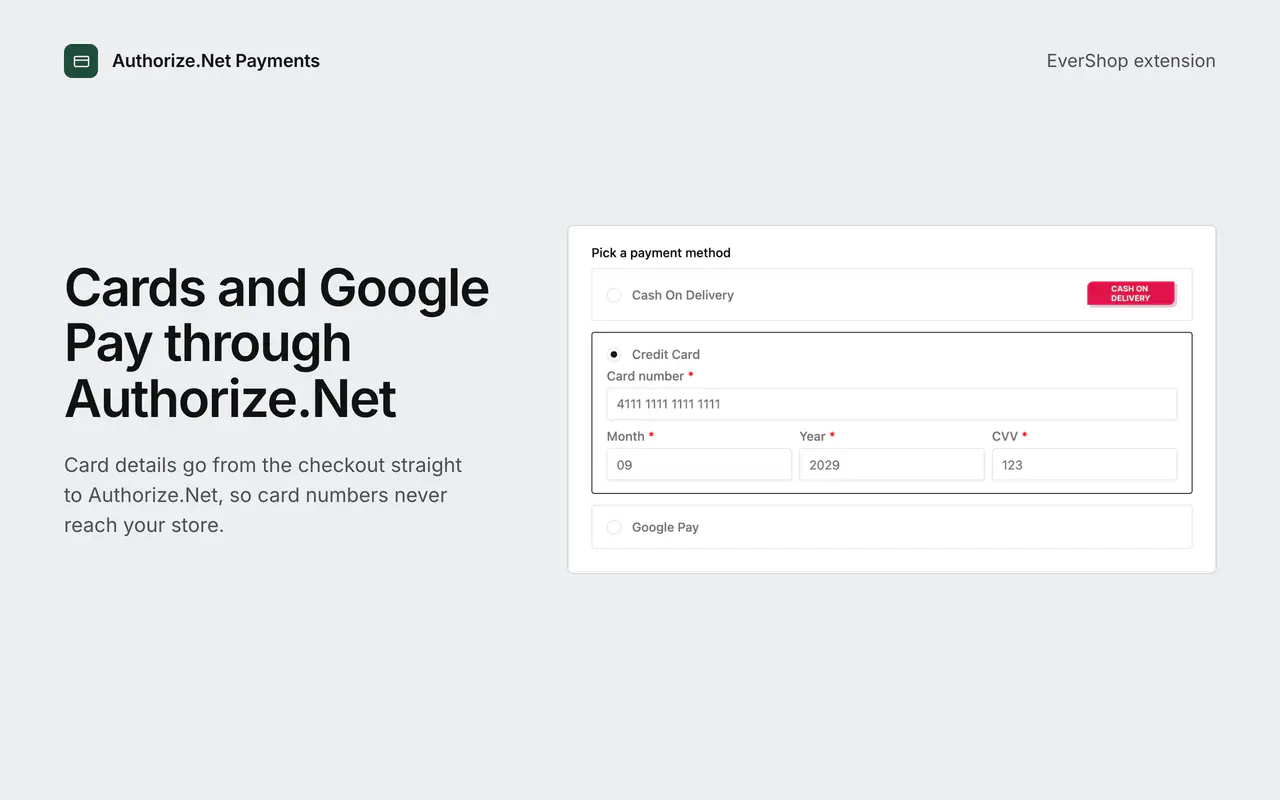
Overview
Accept credit cards and Google Pay through Authorize.Net at checkout.
Version 2.x works with EverShop 2.3.0 and later (tested on 2.3.0 and 2.4.0).
Features
- Credit card. The card is tokenized in the customer's browser with Authorize.Net Accept.js; card numbers never reach your store.
- Google Pay, through the same Authorize.Net account.
- Authorize only, or authorize and capture. Choose in the admin whether a payment is only authorized at checkout or charged straight away.
- Capture and refund from the order page. "Capture Payment" takes an authorized payment; "Refund" gives back all or part of a captured one. Authorize.Net refunds only settled payments (it settles once a day): before that, a full refund voids the payment, and a partial one has to wait.
- Webhooks for capture, refund, void and fraud review update the order when you act on the Authorize.Net site. Every webhook is checked against your signature key.
- A declined card can be retried. The shopper's cart comes back and the checkout page says why, so they can pay with another card.
- Cancelling releases the hold. Cancelling an order whose payment is only authorized, or held for fraud review, voids it at Authorize.Net. If Authorize.Net refuses the void, the order is not canceled.
- Order confirmation. The order is placed, and the confirmation email sent, once Authorize.Net accepts the payment.
- Address verification. The customer's billing and shipping addresses are sent with each payment.
Apple Pay and PayPal are not available in this version.
Install
On EverShop Cloud, choose Install on the item page. The extension is added to your site, and Authorize.Net appears under Settings → Payments. Then follow Configuration below.
On your own server, download the package from your order, then run this from your store's folder (it also installs the two libraries the extension needs):
npm install ./evershop-authorize_dot_net-<version>.tgzAdd the extension to config/default.json:
{
  "system": {
    "extensions": [
      {
        "name": "authorize_dot_net",
        "resolve": "node_modules/@evershop/authorize_dot_net",
        "enabled": true,
        "priority": 10
      }
    ]
  }
}
Then build and restart your store: npm run build, then npm run start. Build again after each update of this extension.
Configuration
Open Settings → Payments in the admin and fill in:
- API Login ID and Transaction Key: in Authorize.Net, Account → Settings → API Credentials & Keys.
- Public Client Key: Account → Settings → Manage Public Client Key.
- Signature Key: Account → Settings → API Credentials & Keys (create a new Signature Key).
- Google Pay Merchant ID: your Authorize.Net Payment Gateway ID. Only needed for Google Pay.
Then choose the Environment (Sandbox while testing, Production when live), the Payment mode, and turn on credit card and/or Google Pay. Changes take effect without a restart.
Webhooks
In Authorize.Net, go to Account → Settings → Webhooks and add an endpoint:
https://<your-store>/api/anet_webhookSubscribe to the payment capture, prior-auth capture, refund, void and fraud events. A webhook without a valid signature is refused.
Testing
Use the Sandbox environment with your Authorize.Net sandbox credentials and the Authorize.Net test card numbers, for example 4111 1111 1111 1111 with any future expiry date and any CVV.
Highlights
Cards, tokenized in the browser
Card details go straight to Authorize.Net through Accept.js; card numbers never reach your store.
Google Pay
Offer Google Pay through the same Authorize.Net account; turn it on or off in the admin.
Capture and refund in the admin
Authorize at checkout and capture later from the order page, or charge straight away. Refund in full or in part; cancelling voids.
Signed webhooks
Capture, refund, void and fraud events from Authorize.Net update the order, checked against your signature key.
Requirements
- EverShop 2.x
- Third-party account
- API key
- Webhook access
- SSL certificate
Be the first to review this product
Write a review
Please log in to share your review of this product.
Changelog
- Works with EverShop 2.3.0 and later (2.0.0 needed 2.4.0).
- ### Added
- **Capture and Refund in the EverShop admin.** An authorized payment has a "Capture Payment" button on the order page; a captured one has "Refund", in full or in part. Before, both had to be done on the Authorize.Net site.
- A payment that has not settled yet (Authorize.Net settles once a day) can be refunded in full: the payment is voided. A partial refund is possible once it has settled; before that the admin says why it cannot be done.
- A refund made on the Authorize.Net site is recorded on the order, full or partial, with the store's "order refunded" event. Before, the refund webhook never found its order.
- **A declined card can be retried.** When Authorize.Net refuses a payment and takes no money, the shopper's cart comes back and the checkout page reloads with the reason, so they can pay with another card. On EverShop 2.4 the refused order is canceled (no email is sent: it was never placed); on 2.3 its payment is marked "Failed". Before, the order stayed pending, the cart was gone and the checkout form stayed locked.
- ### Changed
- The README's install steps use the package downloaded from the marketplace (on your own server: `npm install` of that file). It is not on npm, so the old `npm install @evershop/authorize_dot_net` failed.
- A captured payment now has the status `anet_credit_card_captured` or `anet_google_pay_captured`, the names EverShop's own Capture and Refund use; a refunded one `<method>_refunded` or `<method>_partial_refunded`. Orders captured by 2.0.0 keep "Captured" (`authorize_dot_net_captured`) and can be refunded.
- ### Fixed
- Card payments go through for orders with a shipping address. Before, Authorize.Net refused every such payment, because the shipping address carried a phone number, which Authorize.Net does not accept there.
- "Place order" waits until Authorize.Net's card script has loaded. Before, a quick click (or browser autofill) failed with "Check your card details".
- A paid order is now placed: the customer gets the order confirmation email, and every other "order placed" action runs. Before, an order paid with Authorize.Net never sent it, on any EverShop version.
- Cancelling an order whose payment is only authorized, or held for fraud review, voids it at Authorize.Net. Before, the void never ran. If Authorize.Net refuses the void, the order is not canceled and the admin sees the reason.
- An approved or declined fraud review updates the order and its activity log. Before, both webhooks failed.
- An approved fraud review sets the payment to what Authorize.Net reports: "Authorized" in "Authorize only" mode, "Captured" only when the money was captured. Before, it always said "Captured".
- Two payment requests for the same order can no longer both charge the card.
- "Place order" works after the checkout page is reloaded. EverShop 2.3 and 2.4 then send an empty billing address when "Same as shipping address" is ticked, and the order failed with "Full name is required"; the shipping address is now used.
- The package's unit tests run on Node.js 22 and later.
Authorize.Net Payments
v2.1.0Accept credit cards and Google Pay through Authorize.Net at checkout. Capture and refund from the order page, with signed webhooks and fraud review.
Self-hosted
Download the extension for your own EverShop installation.
Free
Download from your orders — always the latest version.
- Version
- 2.1.0
- Last updated
- 2026-11-22
- Category
- Extensions
- Type
- Extension
- Compatibility
- EverShop 2.x
- Package
- @evershop/authorize_dot_net