
Age Gate
v1.0.2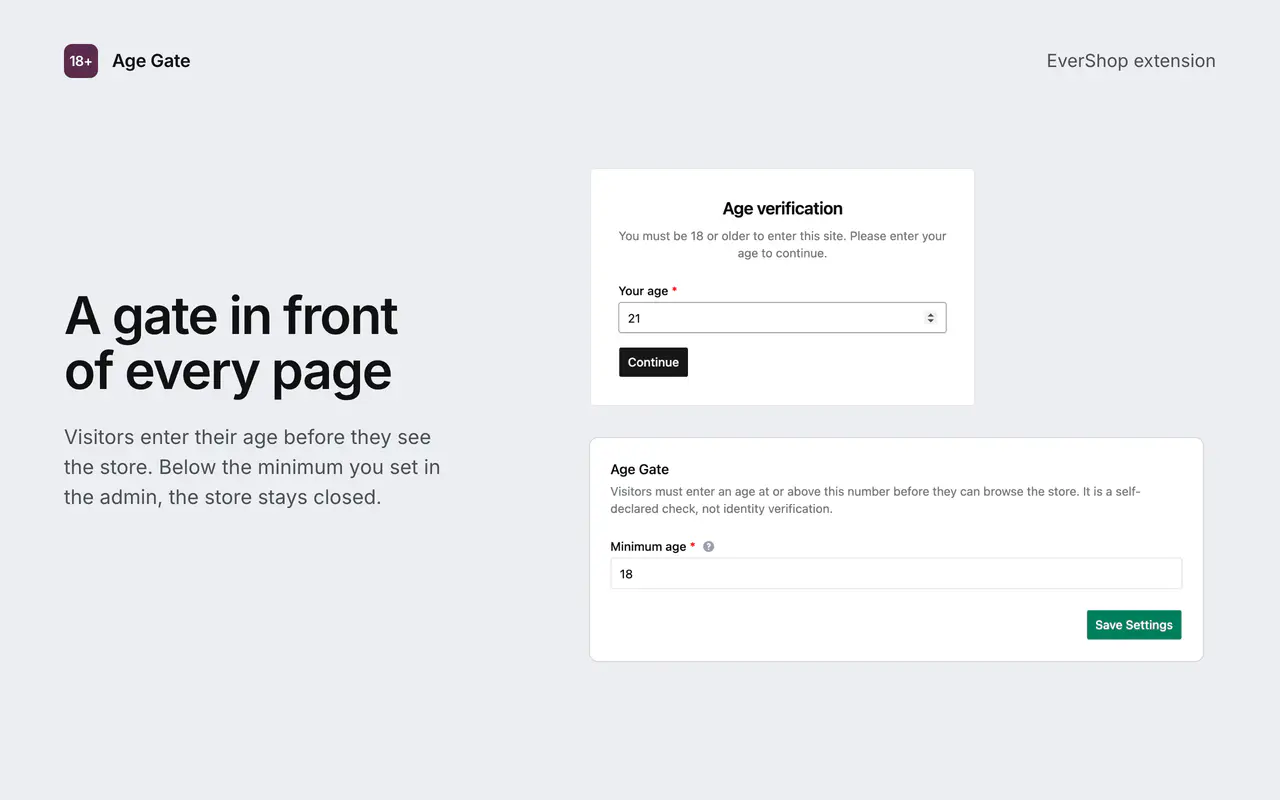
Overview
Ask visitors for their age before they can browse your store. A visitor who has not entered an age at or above your minimum is sent to a gate page; one who has is let through and remembered on that browser for 10 days.
It is meant for stores that sell age-restricted goods, or that simply want visitors to confirm their age. It is a self-declared check, so read "Good to know" before you rely on it.
What you get
- A gate in front of every storefront page. Visitors who have not passed are sent to the gate first, wherever they arrive: the home page, a product link, a search result.
- One setting. Under Settings, Age Gate in the admin, set the minimum age. The default is 18; any whole number from 1 to 120 works.
- Pages that look like your store. The gate and the "not old enough" page are ordinary storefront pages, so they use your theme's header, footer and styles.
- A kind failure page. A visitor who types an age below the minimum sees "You are not old enough to view this site", with a link to try again in case of a typing mistake.
- Asked once. A visitor who passes is remembered on that browser for 10 days.
Requirements
- EverShop 2.3 or newer.
- Visitors' browsers must accept cookies. Without one, the gate cannot remember that a visitor passed and asks again on every page.
Install
On EverShop Cloud, choose Install on the item page. The extension is added to your site, and Age Gate appears under Settings.
On your own server, download the package from your order, then run this from your store's folder:
mkdir -p extensions/agegate
tar -xzf evershop-agegate-<version>.tgz -C extensions/agegate --strip-components=1
Add the extension to config/default.json:
{
  "system": {
    "extensions": [
      {
        "name": "agegate",
        "resolve": "extensions/agegate",
        "enabled": true,
        "priority": 10
      }
    ]
  }
}
Then rebuild and restart your store. Open Settings, Age Gate in the admin to set the minimum age.
Good to know
- It is not identity verification. The visitor types an age and the extension believes it. Anyone can type 99. If the law where you sell requires proof of age, this does not give you that, and you will need a service that checks it.
- Search engines are stopped at the gate too. A crawler has no cookie, so it sees the gate and nothing else, and your products will not be indexed. This suits a store that is age-restricted as a whole. If you need search traffic, do not use it.
- It covers storefront pages, not the API or the admin. Product data stays reachable through the store's API, and the admin is not behind the gate.
- The pass is a cookie. It lasts 10 days and is per browser. A visitor who clears their cookies, or uses another browser, is asked again.
- The text is in English. The gate pages use EverShop's translation function, but no translation files are included.
Highlights
A gate in front of every page
A visitor who has not entered an age at or above your minimum is sent to the gate before they see any storefront page.
One number to set
Set the minimum age under Settings, Age Gate. The default is 18, and any whole number from 1 to 120 works.
Looks like your store
The gate and the 'not old enough' page are ordinary storefront pages, so they use your theme's header, footer and styles.
Asked once, not every page
A visitor who passes is remembered on that browser for 10 days and is not asked again.
Requirements
- EverShop 2.x
Be the first to review this product
Write a review
Please log in to share your review of this product.
Changelog
- ### Fixed
- A URL that matches no page (including a mistyped `/admin/...` address) now returns the store's 404 page instead of redirecting to the age gate.
Age Gate
v1.0.2Ask visitors for their age before they can browse your EverShop store, with a minimum age you set in the admin. A simple, self-declared age gate.
Self-hosted
Download the extension for your own EverShop installation.
Free
Download from your orders — always the latest version.
- Version
- 1.0.2
- Last updated
- 2026-11-13
- Category
- Extensions
- Type
- Extension
- Compatibility
- EverShop 2.x
- Package
- @evershop/agegate